








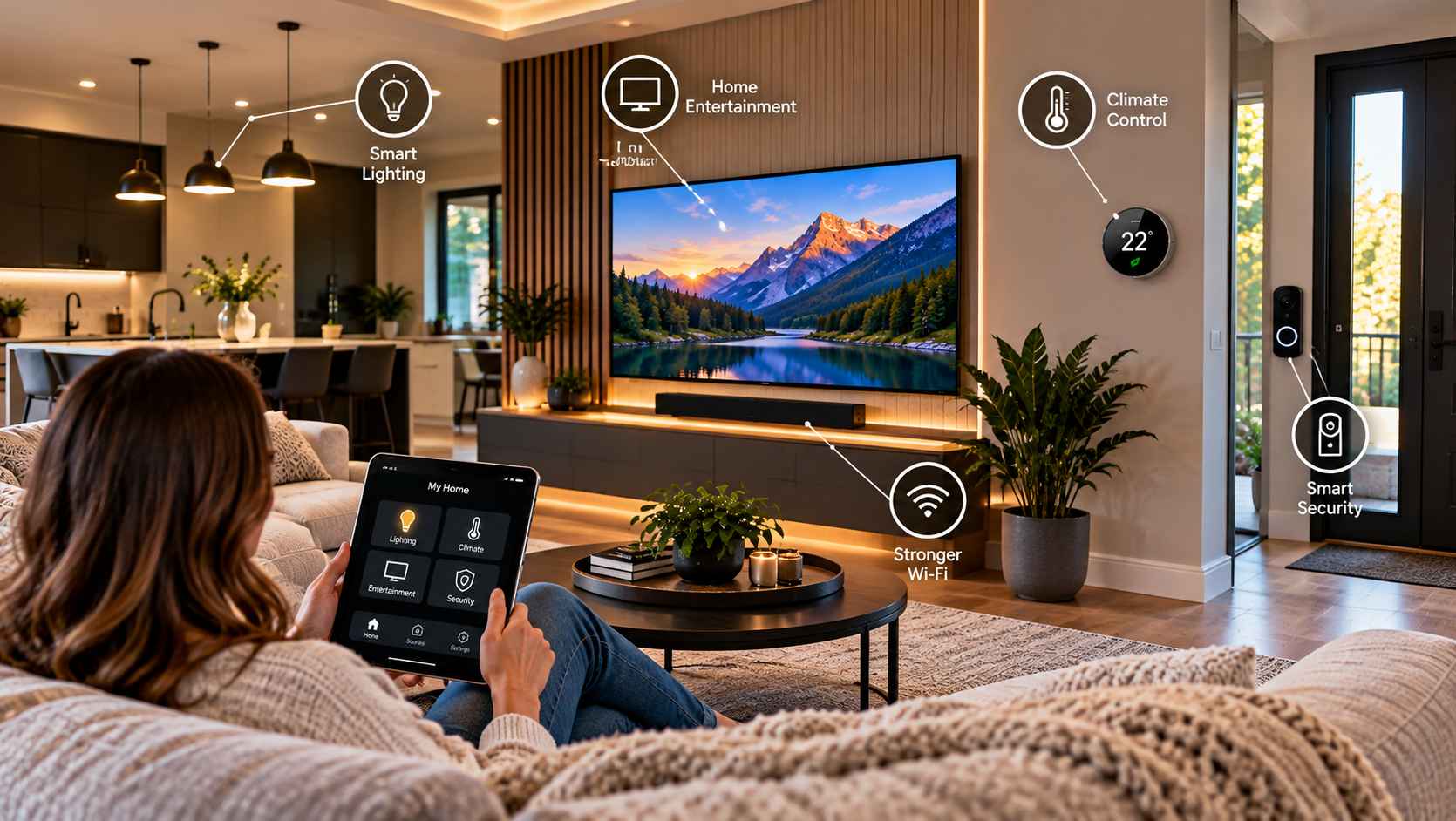
A useful smart-home upgrade should make something easier. If controlling the lights, television, thermostat, speakers, or network requires more apps and remotes than before, the technology may be adding complexity instead of removing it.
The most practical approach is to look at everyday routines first and technology second. What do people regularly struggle with? Which controls are inconvenient? Which systems operate independently when they could work together more smoothly?
For homeowners, especially those working with limited space or busy household routines, thoughtful technology planning can make a noticeable difference without turning the home into a collection of gadgets.
Start With the Things That Cause Everyday Friction
Before buying a connected device, identify a real problem that needs solving.
Perhaps the television has several remotes. Maybe lights are frequently left on in rooms that are not being used. A home office may have unreliable connectivity, or music may require separate systems in different parts of the house.
These are practical starting points.
Technology is most useful when it addresses a recurring inconvenience. A simple control system that makes a common task easier can be more valuable than a large collection of devices that rarely get used.
This also helps homeowners control costs. Instead of upgrading everything at once, improvements can be introduced according to actual needs.
Make Lighting Easier to Control
Lighting is one of the simplest areas where smart technology can improve convenience.
Centralized controls can allow homeowners to manage several lights from one location rather than walking from room to room. Scheduling can also be useful for routines that happen at predictable times.
Dimming provides another layer of flexibility. A bright setting may be appropriate when preparing food or cleaning, while softer lighting can make an evening living area more comfortable.
Smart lighting does not need to mean complicated automation. Even a few well-planned controls can make a home easier to operate.
The important thing is to design controls around how the household actually uses each room.
Simplify Entertainment Systems
Entertainment equipment can become complicated surprisingly quickly.
A television may be connected to a streaming device, game console, sound system, receiver, and other components. Each may come with its own remote or control method.
The result can be frustrating, particularly when different household members use the system.
A more coordinated setup can reduce the number of steps involved in common activities. Watching a movie, listening to music, or switching between entertainment sources should feel straightforward rather than like a technical exercise.
The goal is not necessarily to remove every individual device. It is to make the system easier to understand and use.
Consider Multi-Room Audio
Music is another area where connected technology can become genuinely useful.
Instead of relying on separate speakers and devices in every room, a coordinated audio system can allow homeowners to enjoy music across different areas of the home.
This can be particularly convenient in open living spaces, kitchens, home offices, patios, and other areas where people spend time throughout the day.
Multi-room audio can also be flexible. Different rooms may play different content, or several spaces can be grouped when the household wants the same music throughout the home.
The right approach depends on the home’s layout and how residents actually listen to music.
Improve Home Office Connectivity
Reliable connectivity has become an important part of everyday home life.
Working remotely, attending video meetings, streaming content, managing smart devices, and using connected appliances can all place demands on a household network.
Simply adding another device does not necessarily solve a connectivity problem.
Homeowners should first consider where the network equipment is located, which parts of the home have weaker coverage, and how many connected devices are being used regularly.
Improving the network can sometimes be one of the most practical technology upgrades because it supports many other systems at the same time.
Use Smart Climate Controls Thoughtfully
Heating and cooling are another area where connected technology can make daily routines easier.
Smart thermostats and related controls can allow homeowners to manage temperature settings according to schedules and occupancy patterns.
The useful feature is not necessarily the ability to change the temperature from a phone. It is the ability to make ordinary household routines easier to manage.
For example, a household may have different comfort preferences during sleeping hours, workdays, evenings, and weekends.
Technology can help organize those patterns, but homeowners should still choose settings based on the home’s characteristics and the comfort needs of the people living there.
Think About Entry and Awareness
Connected entry devices can also make everyday routines more convenient.
Video doorbells and other awareness tools can allow residents to see or interact with visitors without necessarily being at the door. For some households, that can be useful when working from home, receiving deliveries, or simply wanting greater awareness of activity around the entrance.
However, technology should be selected and configured with privacy and security in mind.
The objective should be practical awareness rather than adding devices simply because they are available.
Reduce the Number of Separate Controls
One of the strongest reasons to consider integrated technology is that individual systems do not always need to be operated independently.
Imagine having separate controls for lighting, entertainment, speakers, networking, and other connected features. Each system may work perfectly by itself, but managing all of them separately can become inconvenient.
When several systems need to work together, homeowners may benefit from <a href=”https://sigav.com/“>professional audio video integration</a> that considers the overall environment rather than treating each component as an isolated device.
A coordinated approach can make everyday activities more intuitive while also giving homeowners a clearer understanding of how their systems fit together.
Create Simple Automation Scenes
Automation scenes can bring several actions together.
A movie setting, for example, might adjust selected lighting while preparing the entertainment system for use. An evening setting could change lighting throughout commonly used areas. An away routine could help ensure selected systems are not left operating unnecessarily.
The key is simplicity.
There is little value in creating dozens of automation scenes that nobody remembers how to use. A handful of useful routines is often easier for an entire household to understand.
Automation should support ordinary habits, not require people to change their lives around the technology.
Plan Cable Management From the Beginning
Visible cables can make even an attractive room feel cluttered.
This is especially noticeable around televisions, desks, speakers, networking equipment, and entertainment cabinets.
Cable management should therefore be considered when planning an upgrade rather than treated as a cosmetic issue afterward.
During renovations, homeowners may have more opportunities to plan cable routes and equipment locations. In existing rooms, cables can still be organized using practical routing and storage solutions.
The objective is not necessarily to hide every connection. It is to keep the installation tidy, accessible, and easy to understand.
Consider Technology Before Renovating
Homeowners planning a renovation have a useful opportunity to think about technology before walls, ceilings, cabinetry, and finishes are completed.
Television locations, speaker positions, networking equipment, power requirements, lighting controls, and other systems can all influence the final design.
Planning early can reduce the need to make compromises later.
For example, deciding where a television will go after a renovation may leave limited options for cable routing. Thinking about it before construction can allow the technology and the room design to support each other.
This does not mean every renovation needs a complicated technology plan. It simply means technology should be considered alongside the physical space.
Choose Systems That Can Adapt
Technology changes quickly, so homeowners should avoid designing a system around one short-term trend whenever possible.
Instead, consider whether the setup can accommodate future changes.
Accessible equipment locations, sensible cable pathways, flexible networking, and practical control systems can make future upgrades easier.
Adaptability is particularly useful for households whose needs may change. A spare bedroom could become a home office. A family room could become a media space. A basement could eventually serve a different purpose.
Technology that can evolve with the household is often more useful than a system designed around one specific moment.
Avoid Adding Technology Just for the Sake of It
More connected devices do not automatically create a smarter home.
Every additional product can bring another application, account, power requirement, maintenance task, or control method.
Before adding something new, ask what it will actually improve.
Will it make a recurring task easier? Will it solve a genuine inconvenience? Will the household use it regularly?
If the answer is unclear, there may be little reason to add it.
A thoughtful smart home is often defined as much by what it leaves out as by what it includes.
Think About the Home as One Environment
The most useful technology upgrades are often the ones that consider the whole home.
Lighting, entertainment, networking, climate controls, and other systems do not exist in isolation. Their locations and controls affect how residents move through and use their spaces.
A living room may need simple entertainment and lighting controls. A home office may prioritize reliable connectivity. A kitchen may benefit from convenient audio and lighting. A basement entertainment area may require a different combination of systems.
The right solution depends on the household and the space.
There is no universal smart-home package that works equally well for every property.
Make Convenience the Measure of Success
Technology should ultimately make the home easier to live in.
A successful upgrade may not be the one with the most features. It may simply be the system that allows everyone in the household to perform common tasks without thinking about the technology behind them.
Lights should be easy to control. Entertainment should be straightforward. Connectivity should support daily activities. Automation should follow natural routines. Equipment should be organized rather than scattered around the room.
When technology is planned this way, it becomes part of the home’s background rather than the focus of attention.
The best smart-home upgrades are therefore not necessarily about having more devices. They are about making the devices that matter work together in a way that feels natural, useful, and sustainable for everyday life.